WooFlow - WooCommerce to Google Sheets Exporter
A lightweight WordPress plugin that adds one-click order export from WooCommerce to Google Sheets using the official Google Sheets API.
Project Overview
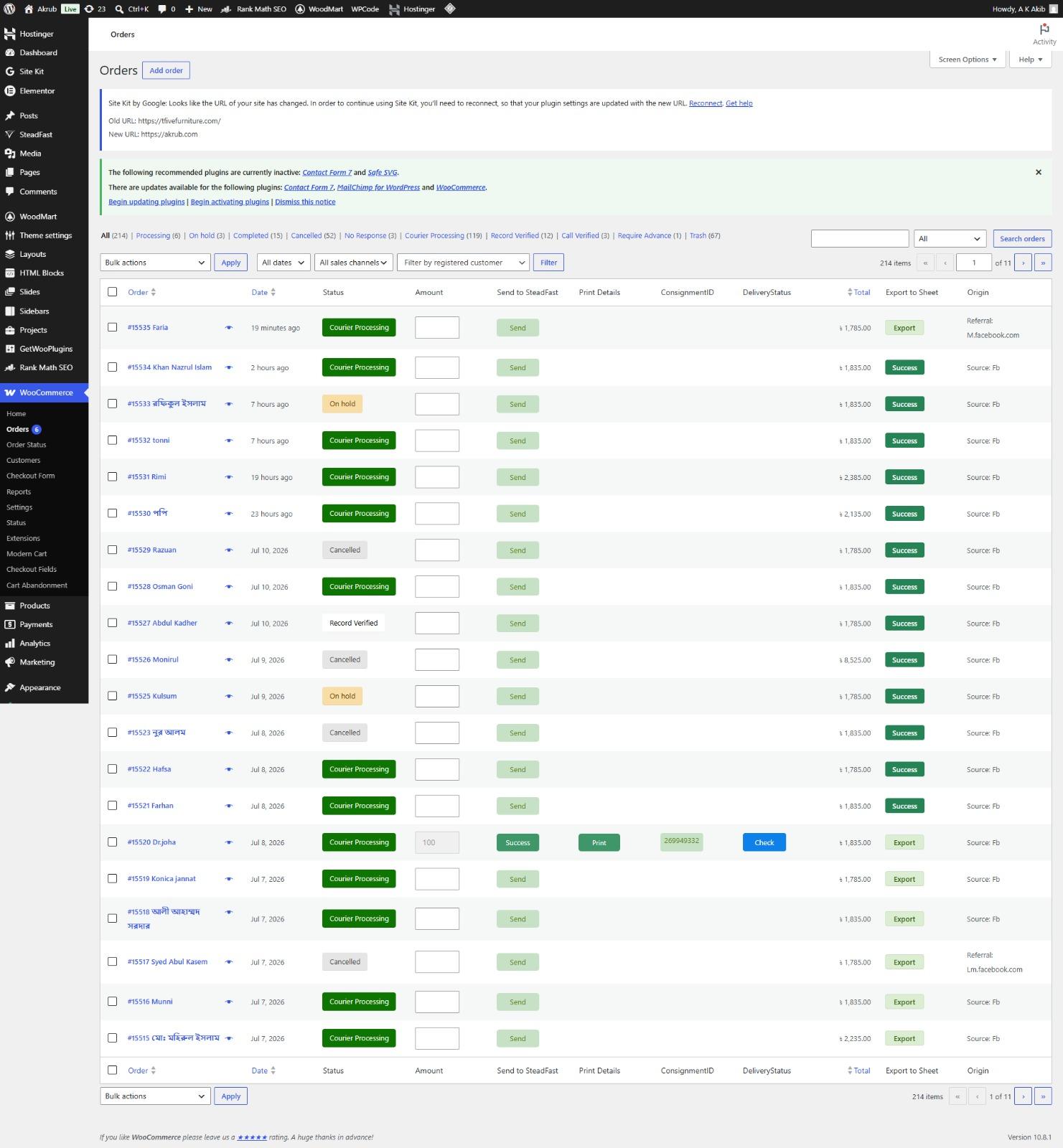
WooFlow is a lightweight WordPress plugin that adds an Export button to each row of the WooCommerce Orders table, enabling one-click order data export directly to Google Sheets.
Built with pure PHP and using the official Google Sheets API via a service account, it eliminates the need for third-party services like SheetDB, Zapier, or Make.com, providing a cost-free, scalable solution.
The plugin supports both legacy and HPOS (High-Performance Order Storage) order tables, exports comprehensive order data including courier IDs, items, quantities, and addresses, and features a permanent success indicator once an order is exported.
Quick Setup Guide:
• Upload the plugin to wp-content/plugins/wooflow/ and activate from WP Admin → Plugins
• Create a Google Cloud project and enable Google Sheets API
• Create a service account and download the JSON key file
• Share your Google Sheet with the service account email (client_email) as Editor
• Find your Sheet ID from the sheet's URL (between /d/ and /edit)
• Go to WP Admin → Settings → WooFlow and configure:
• Google Sheet ID
• Sheet/Tab Name (e.g., Sheet1)
• Paste the entire JSON key file content
• Optional: Enable Debug Mode for troubleshooting
• Set up your Google Sheet with header row in columns A through O (SL, Courier ID, Order ID, Date, Customer Name, Phone, Items, Item Quantity, Total Quantity, Amount, Delivery Charge, ADC, Address, Order Notes, Source)
• Go to WooCommerce → Orders, each order now has an Export button
• Click Export on any order — data sends to Google Sheets without page refresh
• On success, button turns dark green with 'Success' permanently
• If errors occur, enable Debug Mode to see detailed error messages
Key Features
- One-Click Order Export — Export individual WooCommerce orders to Google Sheets with a single click — no page refresh required thanks to AJAX-powered functionality.
- Google Sheets API Integration — Direct integration with the official Google Sheets API using a service account — free to use with no third-party API limits or subscription costs.
- Comprehensive Order Data Export — Exports serial number, courier ID (Pathao/Steadfast), order ID, date, customer name, phone, items, quantities, amount (BDT), delivery charge, address, order notes, and source.
- Permanent Success Status — Once an order is successfully exported, the button turns dark green with 'Success' text and is permanently disabled — persisted in the database.
- Built-in Debug Mode — Troubleshoot failed exports easily with debug mode that displays API responses and error details directly on screen.
- Pure PHP Architecture — No Composer dependencies or external libraries — built with clean, self-contained PHP code that's lightweight and easy to maintain.
- HPOS & Legacy Support — Works seamlessly with both WooCommerce's legacy order storage and the new High-Performance Order Storage (HPOS) system.
- AJAX-Powered Exports — Export orders without page refresh using AJAX, providing a smooth, responsive user experience.
- Multi-Courier Support — Automatically detects and exports courier IDs from both Pathao and Steadfast plugins with customizable meta key detection.
- Secure Implementation — Uses WordPress nonces and capability checks to ensure only authorized users can perform exports, preventing CSRF attacks.
Technical Highlights
- Google Sheets API with Service Account — OAuth 2.0 authentication using service account JSON keys for secure, automated access to Google Sheets without user interaction.
- WordPress Plugin Architecture — Proper WordPress plugin structure with hooks, filters, actions, and admin menus following WordPress coding standards.
- AJAX Integration — Custom AJAX handlers for seamless backend communication with proper nonce verification and error handling.
- Database Meta Persistence — Stores export status as order meta data for permanent success indicators and reliable state management.
- Pure PHP Implementation — Self-contained PHP code with no external dependencies — uses WordPress HTTP API for Google API communication.
- Hook-Based Architecture — Utilizes WordPress action hooks to inject export buttons into order tables without modifying core WooCommerce templates.
- OAuth 2.0 Token Management — Implements token caching with transients for performance optimization and reduced API calls.
- Comprehensive Error Handling — Graceful error handling with user-friendly alerts and detailed debug information for troubleshooting.
Challenges & Solutions
Tech Stack Breakdown
frontend
JavaScript, AJAX, CSS (admin styles)
backend
PHP 7.4+, WordPress Plugin API, WooCommerce API
api_integration
Google Sheets API v4, OAuth 2.0, JWT
database
WordPress Options API, Post Meta API, wp_posts, wp_postmeta
authentication
OAuth 2.0, Service Account, JWT Bearer Tokens
tools
Git, WordPress Coding Standards, PHP Debug, REST API Testing